Most businesses running Google Ads are using an external party; whether it be a large agency, a freelance contractor or in some cases, an in-house manager. How do you know what changes they or their team has made? It’s simple. The ‘change history’ feature is easily accessible in your Google Ads account and it shows every change, tweak or adjustment that has been made over the lifespan of the account.
Where to find the ‘change history’?
It takes only seconds to navigate to view the change history in the account.
- Log into your Google Ads account.
- Using the navigation bar on the left-hand-side, click on the megaphone icon labelled ‘campaigns’.
- At the bottom of the list, click ‘change history’.
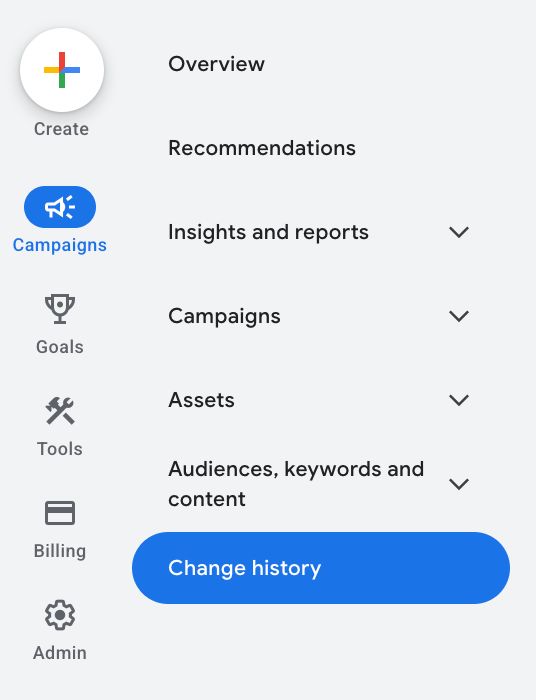
Changes can be sorted by budget, location, bidding, and many other features. You’ll also be able to view an overview section at the top of the page sorted by user, campaign or performance.
Here’s a recent example of the ‘change history’ in one of our accounts:
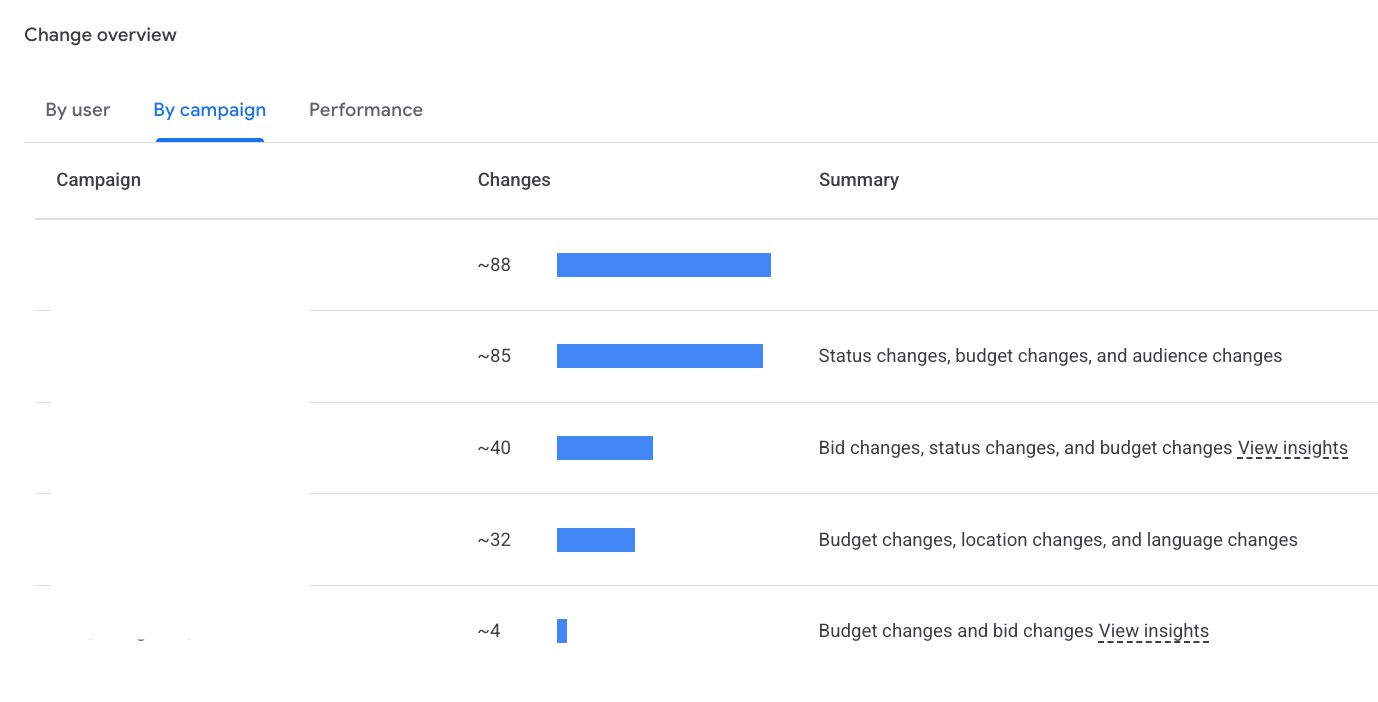
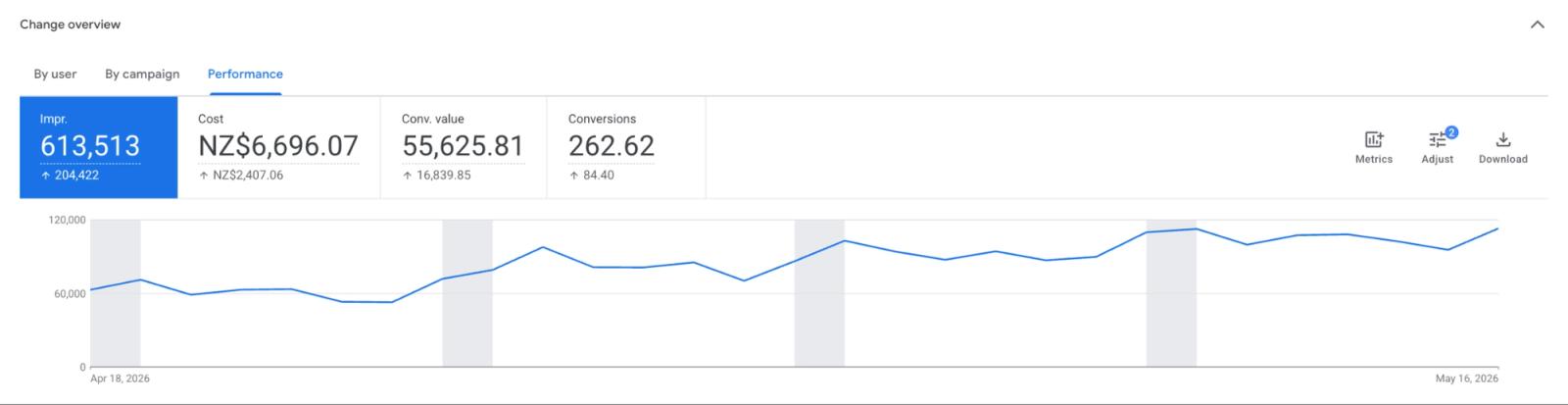
Below this feature, you can see information regarding each specific change that occurred in the account, including:
- What changed i.e. additions, changes, pauses etc.
- When it changed i.e. the date and exact time the change was made.
- Who made the change i.e. the user account, unless of course, they are using a shared login
- How it changed i.e. web interface (most common), Google Ads Editor or the Google Ads API
Using ‘change history’ as a client
When auditing accounts for potential clients, we often see very little activity in the account, with some accounts having zero change history in 6 months! It’s something you, or someone with access to the Google Ads account, could check every month or so, to make sure your agency or marketer is making improvements and recent changes in the account.
Filtering by date range will also show you if the changes have started to taper off recently, compared to when the agency started working on the account. Performance on a particular day or time period can be analysed. For example, if performance improved or dropped on a particular day, the changes in the account on or previous to that day may indicate the reasons towards the shift in performance. Lastly, the ‘change history’ feature can be used to verify if discussed changes, additions or pauses have occurred when previously promised.
What can’t I see in ‘change history’?
‘Change history’ isn’t the be-all-and-end-all for work completed in the account. Just because there are few changes in the Google Ads account does not mean your marketer isn’t completing work for your business. Some changes are not reflected in the audit trail.
Here is a list of changes or work that may be done on your account/business that do not appear in ‘change history’:
- Account level settings such as password resets
- Consultant changes made by Google representatives
- Viewing preferences
- Legacy data made prior to the 2-year data retention window
And apart from changes that aren’t captured in the Google Ads account itself, strategy and analysis, which will be a big part of the work your digital marketer will be doing.
A few of these tasks include:
- Market research on competitors
- Planning & writing new ads
- Analysing & calculating ad performance
- Building reports & reporting tools
- Looking at attribution: conversion setup, checking tracking, reviewing paths etc
It’s easy to do days’ worth of work that are not in the audit trail.
Knowing how to view the ‘change history’ in a Google Ads account is an excellent tool for keeping tabs on whether your digital marketer is actually working on your account. Just bear in mind that a quiet time period isn't always what it looks like.
Sometimes, it can genuinely mean little work is done on your account. We’ve seen this happen, particularly in big agencies who set up campaigns, but leave them to run without actually carrying out any work. It can, however, also mean a large amount of strategy and analysis was completed by your digital marketer, or their team, in the background.
The best approach is to use the feature as an asset, alongside with regular contact with your marketing team. At the very least, you should know what changes were made in the account.
